
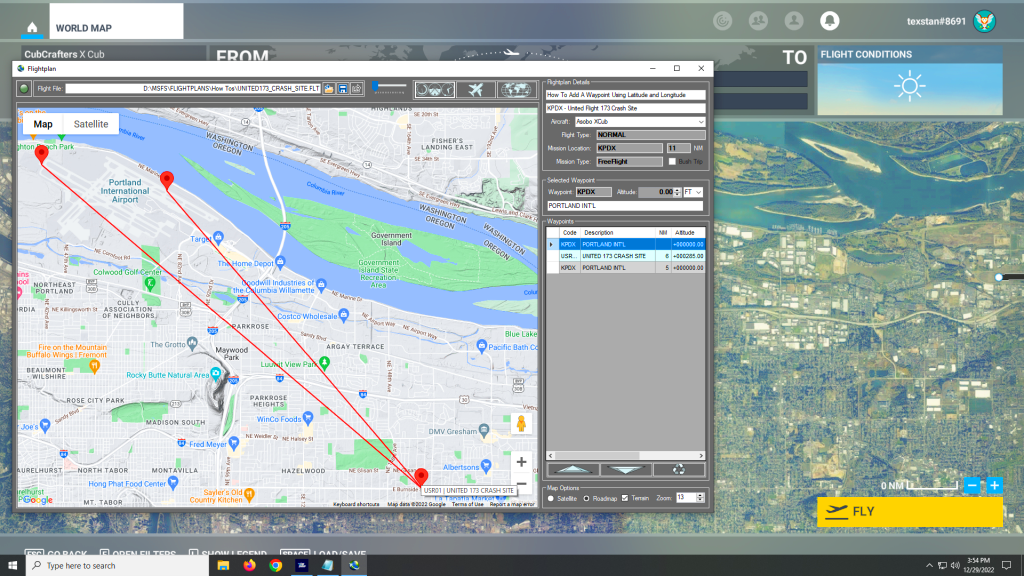
You can add a new waypoint to your flight plan using latitude and longitude, but you must format the coordinate as follows: Which is as follows: The cardinal compass direction and degrees of latitude including the ° symbol (use Alt + 0176 on a Windows keyboard) then a space. Next are minutes with no decimal…
Microsoft Flight Simulator
Simflightplan™ is a Google Maps flight planning add-on for use with Microsoft Flight Simulator. You can use Cockpit Map to take Google Maps in the cockpit with you to use real time terrain elevations, road maps, landmarks, satellite views and street view 3D imagery.
Download Simflightplan™ and try it yourself. You can also download and fly any of our free flight plans, click the Downloads link at the top to search all downloads. Load them in MSFS World Map and you are ready to fly.
For more information see the FAQ page or our YouTube channel.
Happy Flying!
Why does my map keep changing zoom level?
There are 2 sets of zoom controls in Flightplan. The Map Options section in the lower right of the main window contains the default zoom level (and other settings) that the map will revert to when the map is recentered. The map recenters anytime a waypoint is selected in the grid or a pushpin clicked…
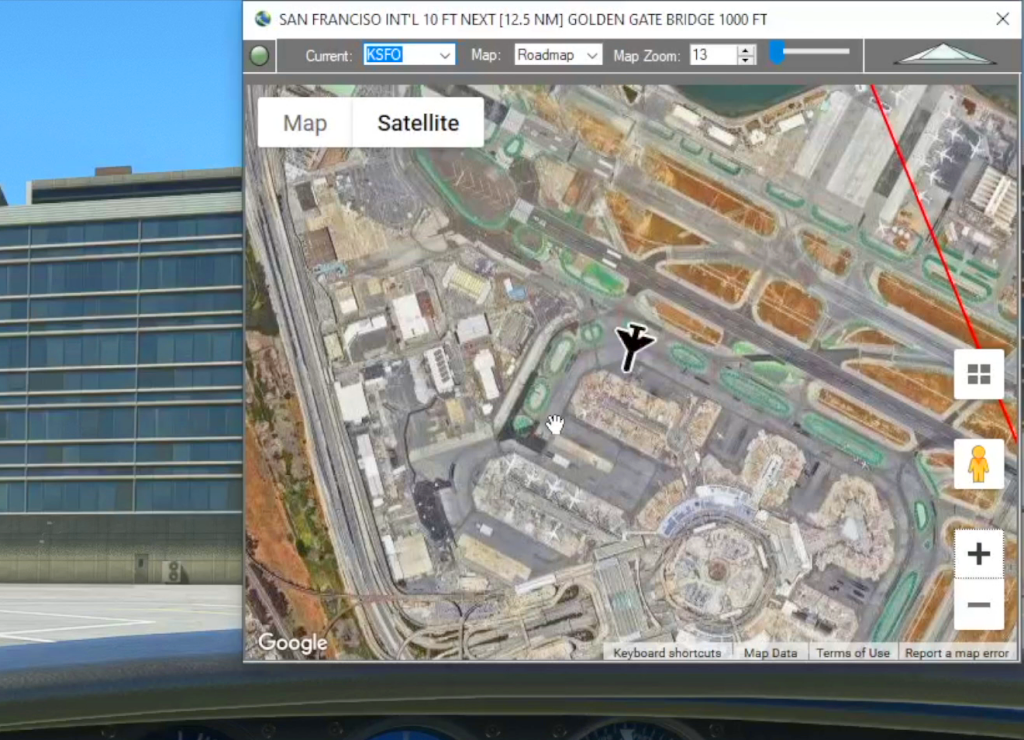
Cockpit Map
When in-flight during gameplay, the Cockpit Map can replace Nav Map to maintain a virtual GPS fix on your position and previous/next waypoints. It displays the path and distance to waypoints in the selected flight plan with real-time aircraft location and flight path. The floating Cockpit Map can be moved and resized and the transparency…
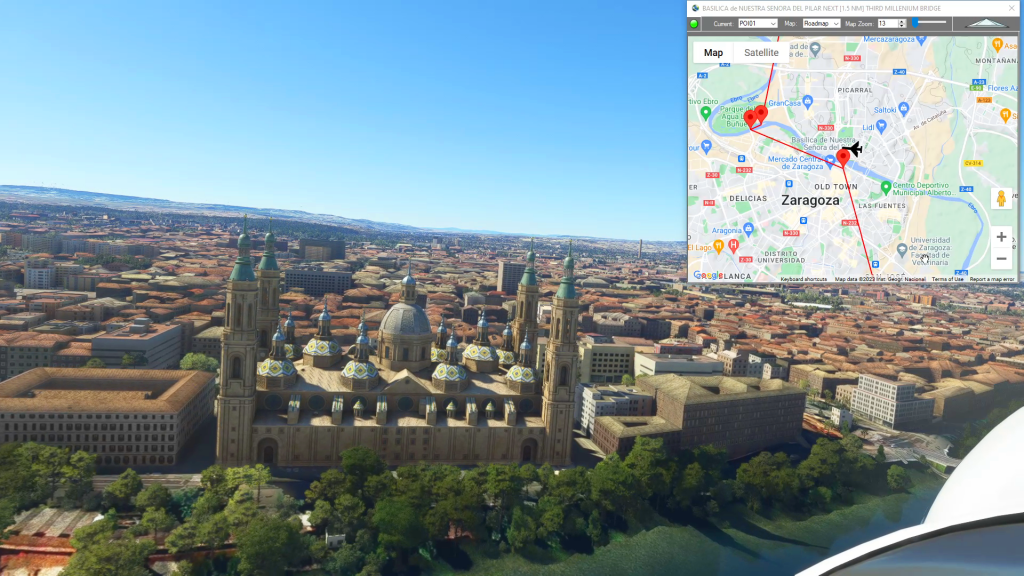
Google Maps Integration
Flightplan is a Google Maps flight planning add-on for use with Microsoft Flight Simulator 2020. Flightplan can be used to create and share your own flight plans using an interactive Google Maps drag-and-drop interface complete with terrain elevations, landmarks, streetviews, etc. Click on the interactive map to drop a pin at any location on earth,…
How to change the start position of your aircraft?
If no runway/parking was selected in Flight Simulator 2020 before saving the flight plan (or if it was saved from a Bush Trip), the aircraft will spawn at the same coordinate as the pushpin for the aiport. Often this is the middle of a runway, but sometimes the pushpin is placed at the “center” of…