
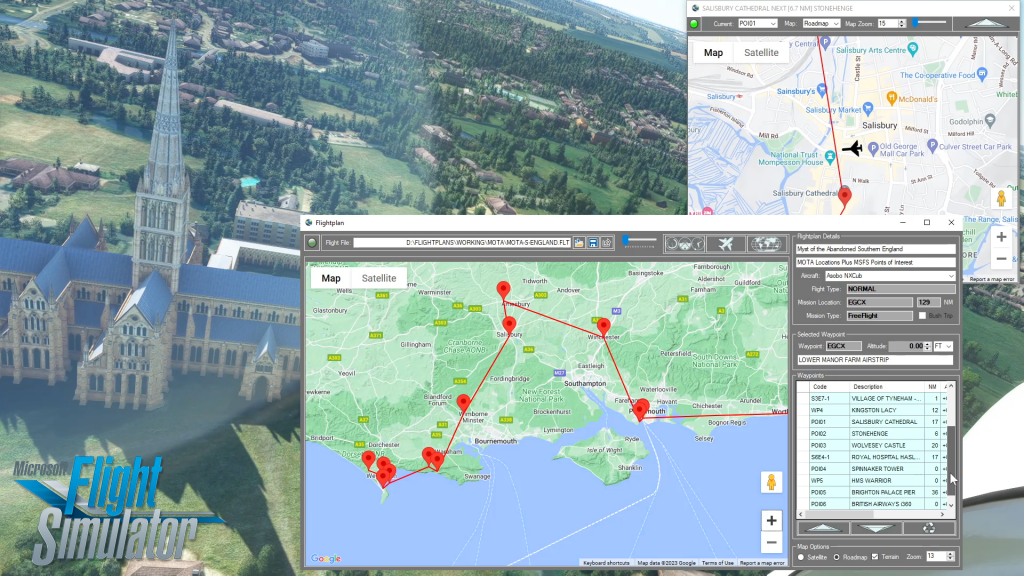
There are several ways to copy and save flight plans to create a new flight plan (Check out the videos on our YouTube channel link below). There is not currently a specific New button in Simflightplan™ to create a file from scratch. The primary reason for this is that the values that define the aircraft,…
Flight Simulator Map While Flying
Simflightplan™ is a Google Maps flight planning add-on for use with Microsoft Flight Simulator. You can use Cockpit Map to take Google Maps in the cockpit with you to use real time terrain elevations, road maps, landmarks, satellite views and street view 3D imagery.
Download Simflightplan™ and try it yourself. You can also download and fly any of our free flight plans, click the Downloads link at the top to search all downloads. Load them in MSFS World Map and you are ready to fly.
For more information see the FAQ page or our YouTube channel.
Happy Flying!
How do I use Google Maps in MSFS?
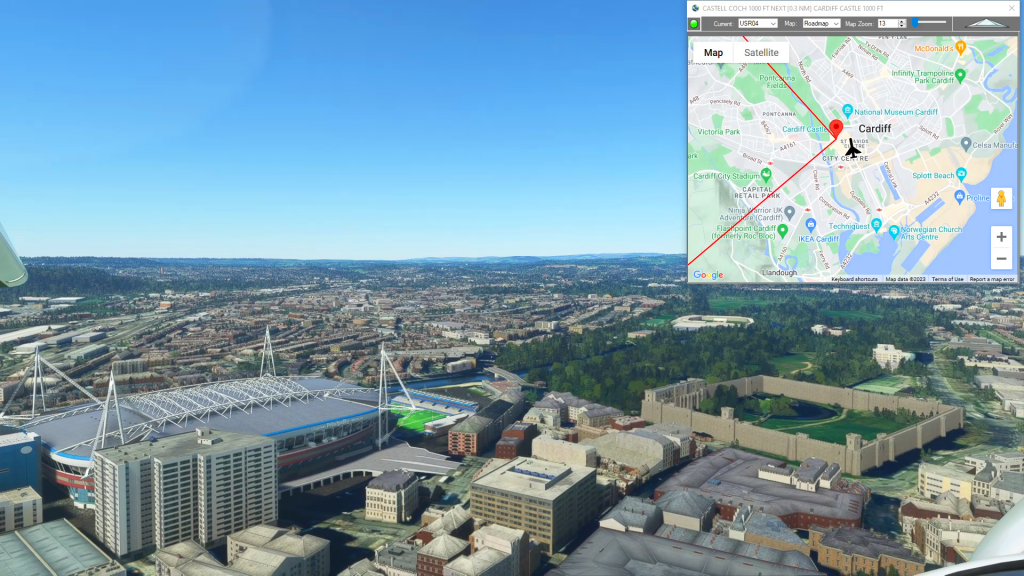
With Simflightplan™ for Flight Simulator, you can take Google Maps in the cockpit with you. Simflightplan™ Cockpit Map allows you to see the real-time google map beneath you as you fly. Just like on your phone, Google Maps will display road names, place names, landmarks, street views and 3D photogrammetry as you fly. You can…
Cockpit Map Features
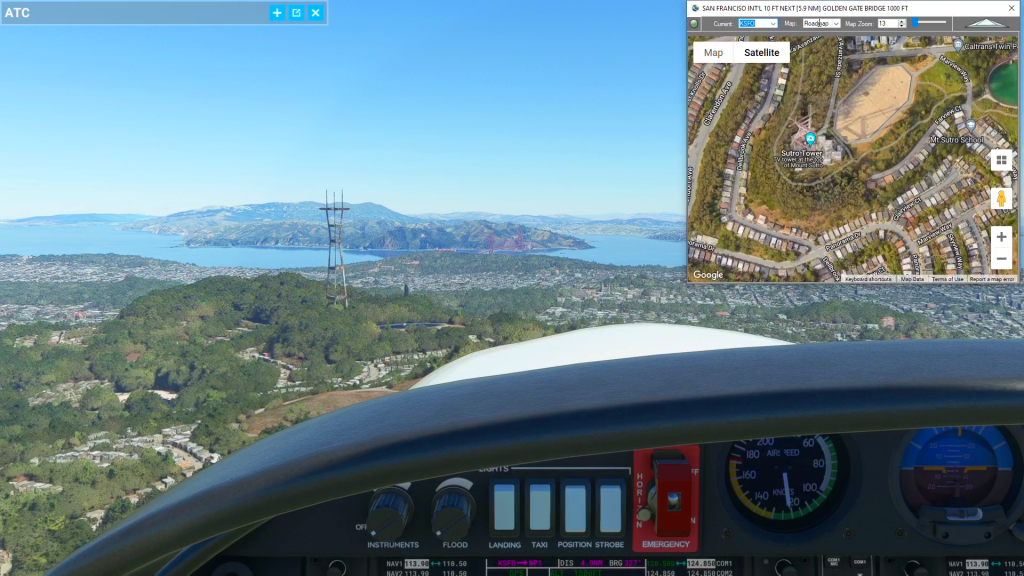
Simflightplan™ Cockpit Map can be used in place of Microsoft Flight Simulator’s Nav Map. Cockpit Map displays the loaded flight plan along with the current position of your aircraft over the Google map. When launched, Cockpit map will appear at the top right 1/3 of the primary display. It can be moved or resized to…
How can I quickly convert elevations from meters to feet in MSFS?
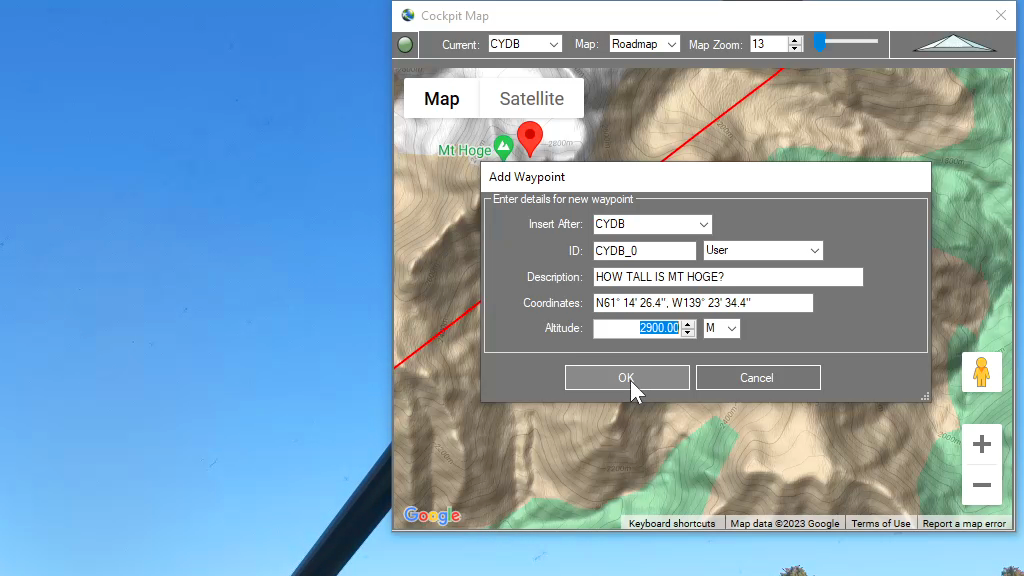
You can drop a pin anywhere and enter the desired altitude using either Meters (M) or Feet (FT) and when the Pin is added to the map it will be converted to your flight plan unit of measure. So if you are used to flying using Imperial units of measure (feet) but the local elevations…

How To Use Satellite View During Taxi
You can use the Satellite view of Cockpit Map to assist with navigating complicated taxiways. Simply turn on GPS Follow mode, set your Zoom level so that you can read the taxiway and runway markings (if the airport is clearly marked) and select Satellite as your Map. You can then follow the ATC taxi route…