
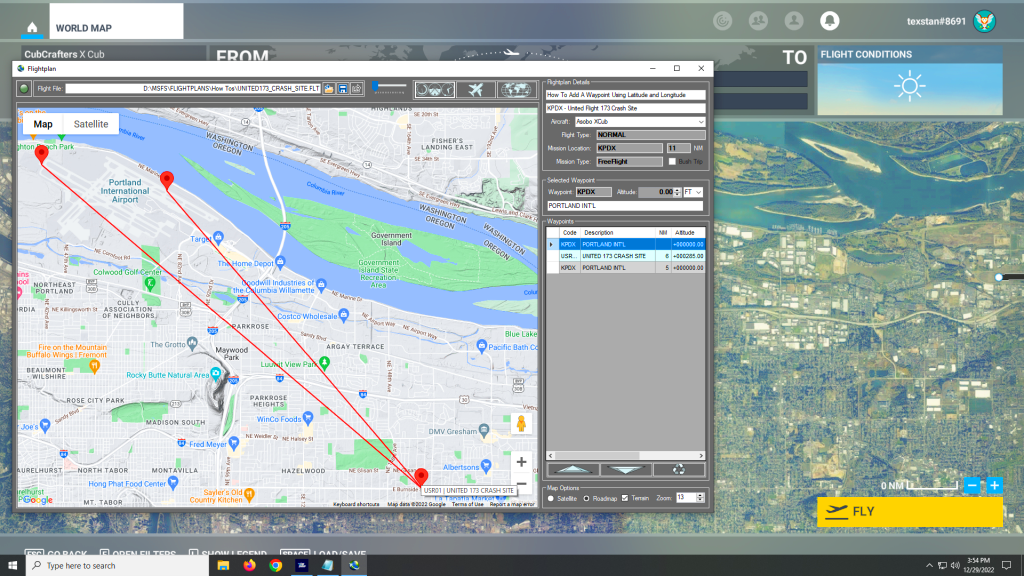
You can add a new waypoint to your flight plan using latitude and longitude, but you must format the coordinate as follows: Which is as follows: The cardinal compass direction and degrees of latitude including the ° symbol (use Alt + 0176 on a Windows keyboard) then a space. Next are minutes with no decimal…
MSFS Flight Planner
Simflightplan™ is a Google Maps flight planning add-on for use with Microsoft Flight Simulator. You can use Cockpit Map to take Google Maps in the cockpit with you to use real time terrain elevations, road maps, landmarks, satellite views and street view 3D imagery.
Download Simflightplan™ and try it yourself. You can also download and fly any of our free flight plans, click the Downloads link at the top to search all downloads. Load them in MSFS World Map and you are ready to fly.
For more information see the FAQ page or our YouTube channel.
Happy Flying!